Improving Processes with Design Thinking
UX-led evaluation of customer & internal account workflows
Customer account requests (creation, linking, new business setup) were often routed to the wrong team, causing significant delays and repeated customer follow-ups.
Leading to
Frustrated customers and CSR teams
Extended processing times
Increased manual re-routing workload
Lost sales opportunities due to delays
Problem
Goals & Success Metrics
Identify pain points across customer-facing and internal workflows
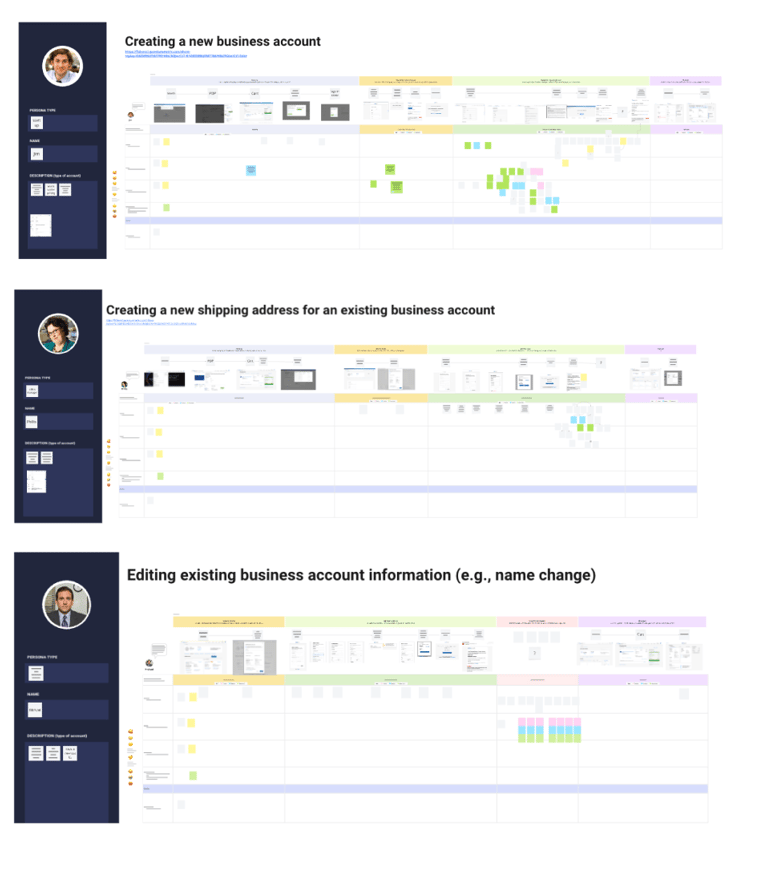
Map both customer and back-end journeys to understand breakdowns
Co-create solutions with stakeholders from all affected teams
Recommend quick wins and long-term process improvements
Project Goals
Metrics for Success
Reduced misrouting of account requests
Faster average processing times
Positive feedback from CSR, credit, and sales teams
Improved completion rates for account forms
Process
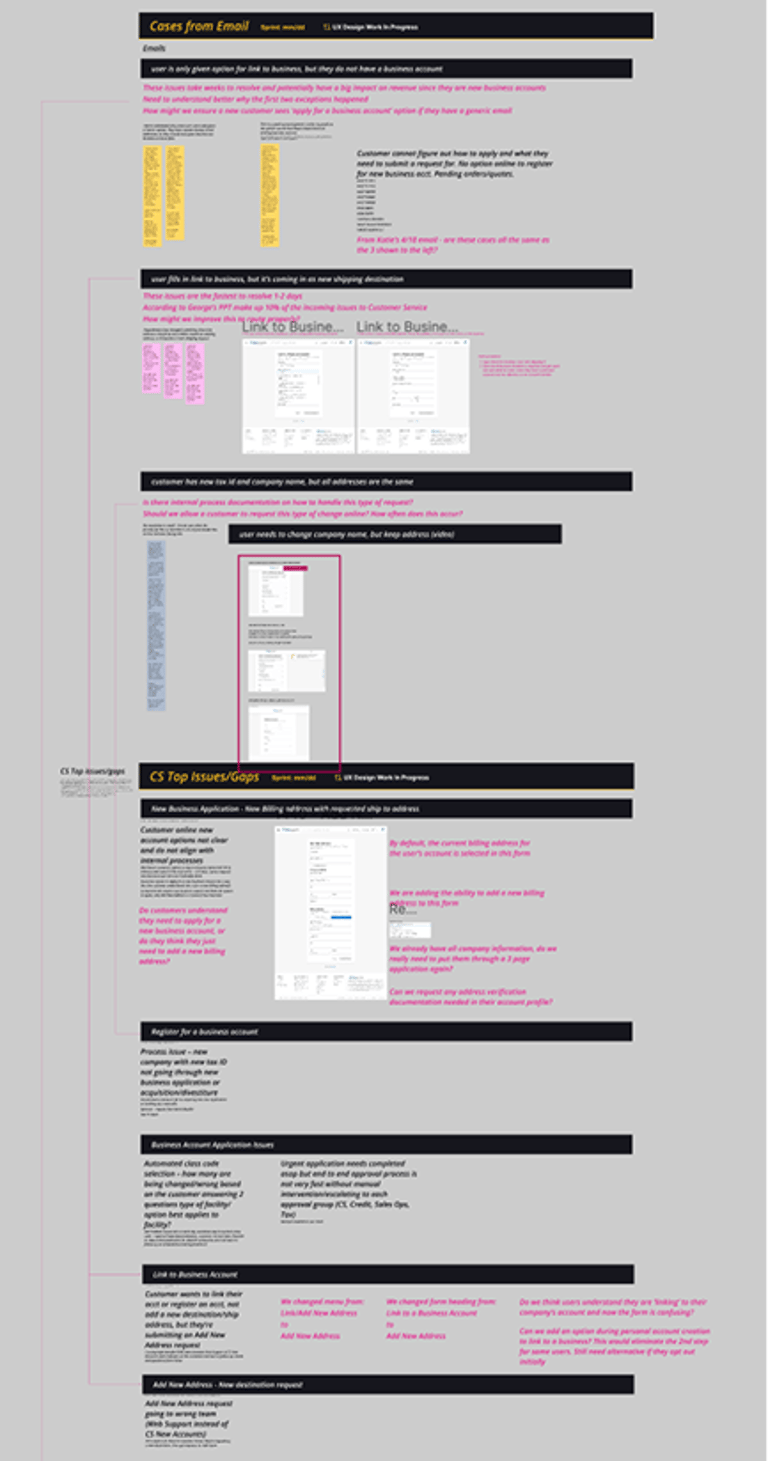
Reviewed several CSR-shared customer emails, grouping them by flow and issue type
Analyzed Quantum Metric session recordings to inform realistic journey maps
Identified 3 core flows:
Account creation
Linking to a business account
Creating a new business account
Facilitated 3 targeted design thinking sessions:
CSR + Sales teams
Web Support team
Credit team
Research
Analyze
Facilitate
Multiple form fields and choices were unclear to customers
Internal teams had inconsistent routing rules
No shared visibility into account status after submission
Many customer issues could be resolved with small UI copy and form logic improvements
Findings
Outcome
Two targeted presentations were created and delivered to the web and customer service teams outlining quick-wins and long-term initiatives for each audience
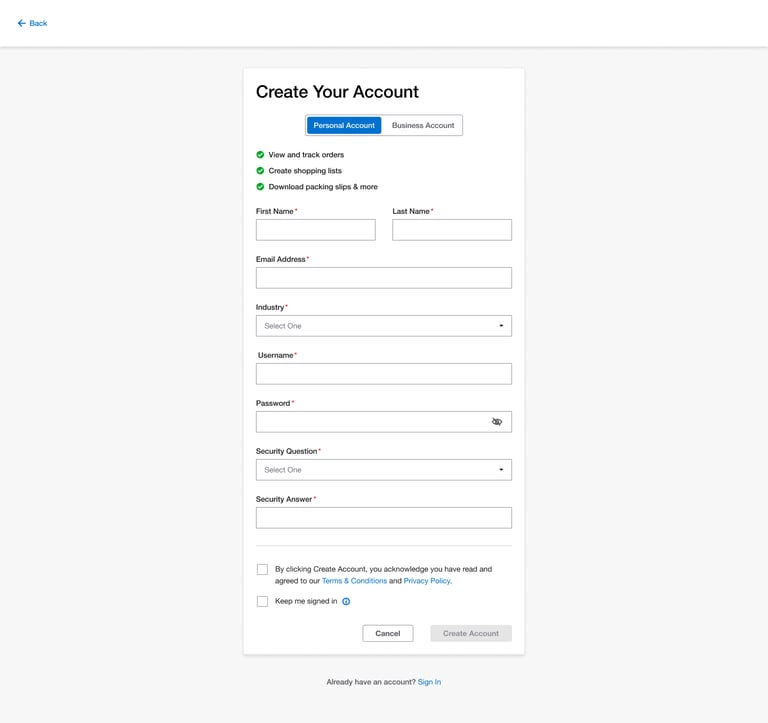
Account Creation
The new design introduces a clear decision point at the start. Users can now choose their intended account type — personal or business — and are guided through the appropriate flow, creating a smoother and more intuitive onboarding experience.
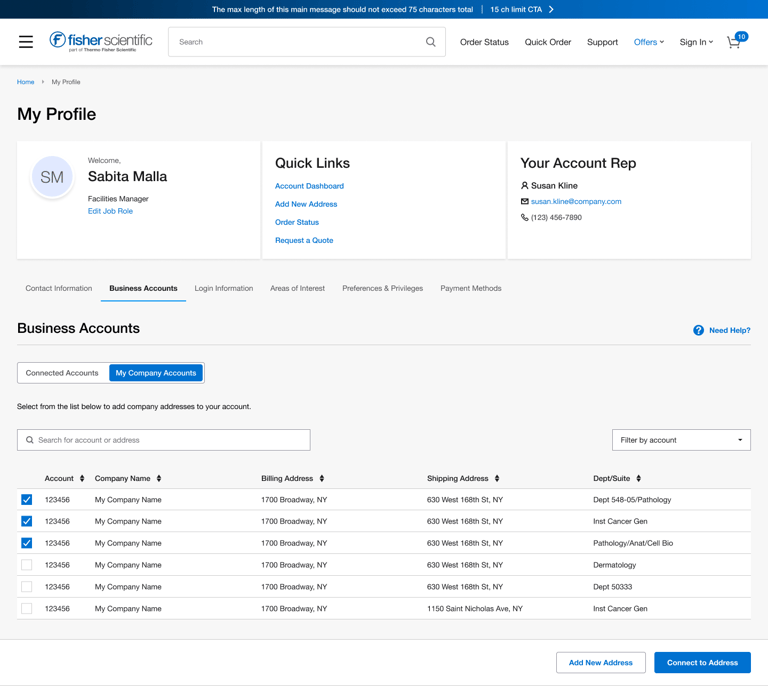
Linking Accounts
The redesigned layout organizes accounts by billing relationship — one main billing account per card, with its shipping accounts neatly listed beneath. A new Search Addresses tab lets users quickly locate and connect to existing company addresses already in the system, improving efficiency and reducing user frustration.
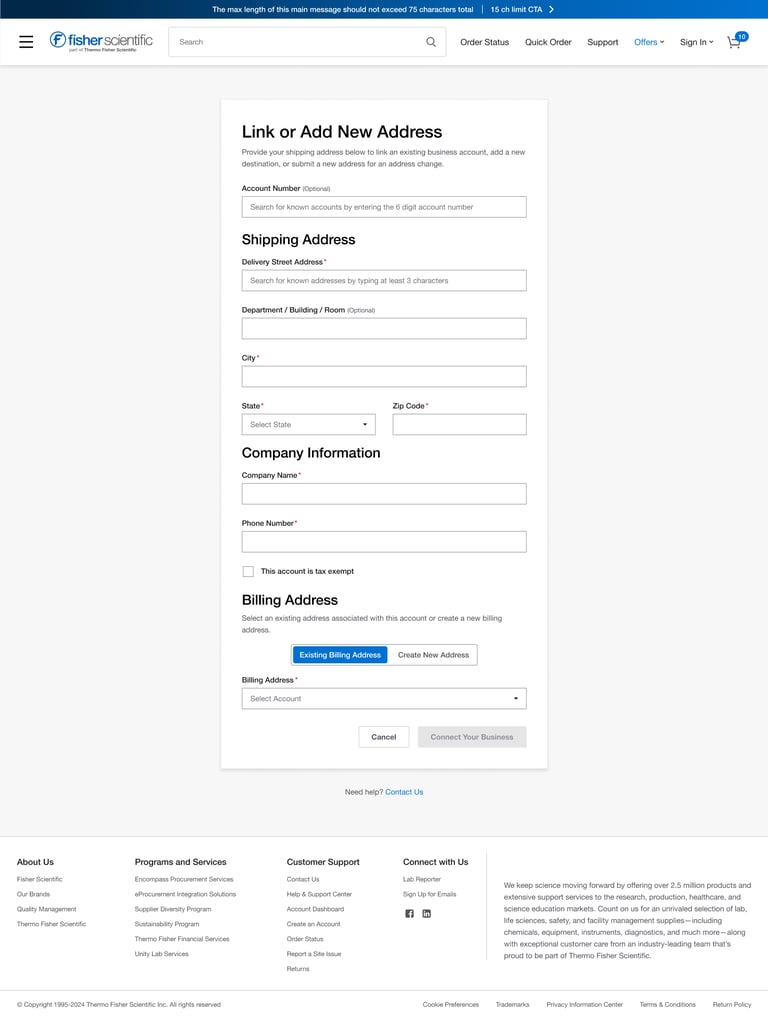
Renaming the form to “Link to Company Account or Add New Address” clearly communicates the user’s intent. Reordering the input fields so that the address is entered first allows for more accurate company name prepopulation, improving the reliability of the linking process. Added helper text in each section provides lightweight guidance, reducing friction and improving task completion rates.
New Address